All Posts By

Michael Christie

Smeal Academy Newsletter: February 2026

Sharing the Love for Our Smeal Community

February is known as the month of love, and we’re celebrating what we love most: our incredible Smeal Community! Your dedication to creating accessible, engaging learning experiences makes all the difference for our students. As a small token of our appreciation, we’ve gathered some helpful resources and tips in this month’s newsletter to make your work a little easier.

Thank you for all you do to support our community!

Save These Dates!

MAR
19

The Dan & Robyn Ives AI Innovation Day & Case Competition

On March 19, 2026, The Dan and Robyn Ives AI Innovation Day & Case Competition will bring together students, faculty, staff, and industry leaders to explore the transformative impact of Generative AI in business education and beyond. This event will offer keynote addresses, interactive sessions, networking opportunities, and an undergraduate case competition where student teams share pitches for their AI-driven solutions to a real-world business case. We hope to see you there! 

Register TODAY! →


APR
24

The DOJ’s Accessibility Deadline is Fast Approaching – Are You Ready?

The U.S. Department of Justice has ruled that all higher education institutions must comply with Web Content Accessibility Guidelines 2.2 at the AA level by April 24, 2026. This applies to Canvas content, instructor content, and publisher and digital content.

We’ve created a timeline outlining the steps that faculty members must take to meet this legal requirement, as well as video tutorials to support you in improving the accessibility of your course materials, including:

  • PowerPoint Presentations
  • Word Documents
  • Canvas Pages, Announcements, and Discussions
  • Contrast and Alt Text
  • Unused Canvas Files and Pages

And more!

More Accessibility Resources →

Upcoming Smeal Academy Sessions

FEB
24

Analog Inspiration Lunch

Tuesday, February 24, 12 – 1 PM
In-Person: 210G

Join Emily Baxter from the eLDIG team for a relaxed, bring-your-own-lunch, in-person gathering using her new Analog Inspiration card deck to spark reflective, screen-free conversation. Open to faculty, staff, and administrators, with an online version planned later in the semester for remote participants.


FEB
25

Smeal AI@Work: PowerPoint and Copilot

Wednesday, February 25, 12 – 1 PM
via Zoom

This beginner-friendly session introduces participants to writing effective prompts with Microsoft Copilot. Attendees will learn how better prompts can help them draft content, build presentations, and organize ideas more efficiently in PowerPoint. The session is hands‑on, practical, and designed to help you get immediate value from generative AI at work.​

  • PowerPoint Presentations
  • Word Documents
  • Canvas Pages, Announcements, and Discussions
  • Contrast and Alt Text
  • Unused Canvas Files and Pages

And more!

Do More With Sage!

Sage Business Collection Expansion

We’re excited to announce an expansion of the Business Library’s Sage Business collection! There are two new modules, as well as additions to Skills and Cases:

  • Business Foundations: helps develop an in-depth understanding of key business theories.
  • Business Data Decisions: designed to help students make strategic recommendations through data-driven analysis.

Not sure where to start with Sage resources? Stay tuned for a Smeal Academy session hosted by our Business Librarian partners.

Explore Sage →

Follow Us on LinkedIn

Smeal Academy on LinkedIn

LinkedIn logo

Don’t forget to connect with us via Smeal Academy’s LinkedIn page, your hub for staying engaged with our mission to empower Smeal instructors with the tools, strategies, and best practices they need to excel in teaching.

Follow us for updates, resources, and opportunities to engage. We can’t wait to connect with you!

Connect With Us →

We’re Here to Help!

We can help you with course design and redesign, educational technology tools such as Canvas, Zoom, and Kaltura, strategies for assessment and evaluation, instructional best practices, and the integration of Smeal College and University-wide resources.

Let’s start a conversation about how Smeal’s eLearning Design & Innovation Group can help you.

Contact Us →

Smeal Academy Newsletter: January 2026


Spring ’26 Checklist

As a new semester begins, we wanted to highlight a few key areas to consider as you navigate the new term. This month’s newsletter includes reminders about the need to focus on accessibility, benefits to be gained by doing more with AI, and how taking a fresh look at trusted tools can help better support teaching and learning.

We hope this information helps set the stage for a successful Spring term!

Focus on Accessibility

Know What’s Changing

The U.S. Department of Justice has ruled that all higher education institutions must comply with Web Content Accessibility Guidelines 2.2 at the AA level by April 24, 2026. This applies to:

  • Canvas Content: pages, videos, files, images, assignments, discussions, quizzes
  • Instructor Content: slides, readings, documents, posted online materials
  • Publisher and Digital Content: e-books, case studies, test banks, interactive tools

Learn More About Accessibility @ Smeal →


Identify & Remediate Accessibility Issues

We’ve created a timeline outlining the steps that faculty members must take to meet this legal requirement, as well as video tutorials to support you in improving the accessibility of:

  • PowerPoint Presentations
  • Word Documents
  • Canvas Pages, Announcements, and Discussions
  • Contrast and Alt Text
  • Unused Canvas Files and Pages
  • …and more!

Accessibility Resources →


Attend Our Next Accessibility@Smeal Session

JAN
26

Microsoft Accessibility Tools

Monday, January 26, 1-2 pm

(Calendar invite with Zoom link coming soon!)

Previous Smeal Academy session recordings can be viewed on the eLDIG website.

Do More With AI

NEW! Apply for an AI Exploration Grant

Smeal’s new AI Exploration Grants provide small, short-term awards ($250–$4,000) to support faculty and staff in exploring AI technologies for teaching, research, student support, and operations, with a focus on responsible use and increasing AI literacy. Goals of the AI Exploration Grants include:

  • Supporting AI innovation not covered by existing University-licensed tools, Smeal Competitive Research Grants, or departmental budgets.
  • Providing access to essential technologies such as software subscriptions, APIs, tokens, datasets, and testing environments.
  • Enabling small pilots and cross-unit collaborations that enhance operations, teaching and learning, research, or student services.
  • Generating scalable solutions that help inform Smeal’s AI strategy and future enterprise licensing decisions.

Apply Today →


Sign Up for BoodleBox

BoodleBox provides access to a wide range of AI models and tools within one secure, integrated environment. Over 200 Smeal faculty and staff have joined the Smeal workspace in BoodleBox so far, and several community training sessions have already taken place to support our collaborative learning. We’re planning new sessions for 2026, so stay tuned!

Explore BoodleBox →


SAVE THE DATE! Dan and Robyn Ives AI Innovation Day is Thursday, March 19.

On March 19, 2026, the Dan and Robyn Ives AI Innovation Day & Case Competition will bring together students, faculty, staff, and industry leaders to explore the transformative impact of Generative AI in business. The event features keynote addresses, interactive sessions, networking opportunities, and an undergraduate case competition showcasing AI-driven solutions to real-world business challenges.

Learn More About AI Innovation Day →

Explore New Approaches to Trusted Tools

NEW! Canvas Enhanced Rubrics

Enhanced Rubrics is a new feature preview* available within Canvas, providing visual and functional enhancements to traditional rubrics, such as:

  • Easily reordering rubric line items
  • Importing rubrics using a CSV template
  • Accessing horizontal and vertical views of your rubric when assessing students
  • Archiving rubrics

Enhanced Rubrics must be enabled before they can be used in your course via Course Settings > Feature Options > Enhanced Rubrics > Enabled

* Opting into Canvas feature previews may involve adjusting to ongoing updates outside the regular release schedule.

Explore Enhanced Rubrics →


NEW! Top Hat Features

Guest Mode allows audiences to participate in polls without accounts or being registered for courses. This is ideal for conferences, symposia, training, public lectures, meetings, or non-registered courses where participants don’t have Top Hat student accounts. It allows instructors to:

  • Present slides
  • Present questions
  • Export question results
  • Host up to 500 concurrent users

Learn About Guest Mode →

Exit Ticket Templates are ready-made questions and examples that help instructors gauge student comprehension, uncover learning gaps, and plan their next steps.

Four free customizable exit ticket templates are available to import into your course designed to assess key concepts, summarize learning, and highlight areas needing clarification.

Explore Exit Ticket Templates →


Attend Our Next Smeal Academy Session

JAN
27

Effective & Accessible Use of Graphic Arts in Business Briefings and Classroom Pedagogy

Tuesday, January 27, 12:00-1:00 pm

(Calendar invite with Zoom link coming soon!)

Join Smeal Professor Andy Gustafson to improve the clarity, professionalism, and accessibility of your PowerPoint presentations. This session will cover practical graphic design strategies for business briefings and classroom instruction, along with step-by-step guidance from members of the eLDIG team for meeting accessibility and compliance standards.

This session is designed for faculty and staff who want their slides to look better, communicate more clearly, and meet required guidelines.

Previous Smeal Academy session recordings can be viewed on the eLDIG website.

Follow Us on LinkedIn

Smeal Academy on LinkedIn

LinkedIn logo

Don’t forget to connect with us via Smeal Academy’s LinkedIn page, your hub for staying engaged with our mission to empower Smeal instructors with the tools, strategies, and best practices they need to excel in teaching.

Follow us for updates, resources, and opportunities to engage. We can’t wait to connect with you!

Connect With Us →

We’re Here to Help!

We can help you with course design and redesign, educational technology tools such as Canvas, Zoom, and Kaltura, strategies for assessment and evaluation, instructional best practices, and the integration of Smeal College and University-wide resources.

Let’s start a conversation about how Smeal’s eLearning Design & Innovation Group can help you.

Contact Us →

Smeal Academy Newsletter: December 2025


Wrapping Up Fall 2025

As we close out the Fall semester, we’re sharing a few helpful resources to make your end-of-semester tasks a little easier. You’ll find guidance on reviewing student feedback, tips for entering grades into LionPath, and some great ways to ensure that your New Year’s Resolution to engage more with AI is a success. We hope these resources help you finish Fall 2025 strong and enjoy a well-deserved winter break!

From all of us on the eLDIG team, we wish you and yours a wonderful holiday season and a fantastic 2026!

SEEQ’ing Student Feedback

SEEQ Feedback

The Student Educational Experience Questionnaire (SEEQ) is Penn State’s carefully designed feedback tool that moves beyond simple instructor ratings. Developed by the University Faculty Senate, the SEEQ focuses on students’ learning experiences by gathering targeted feedback on course elements like assignments, materials, instruction, and learning environment.

Where is SEEQ feedback posted?

Spring 2025 SEEQ surveys are open from 4/14 to 5/4 and results will be available on 5/20. Prior to grade submission, only response rates will be visible to instructors. After final grades are posted to LionPATH, instructors will receive an email with a link to their complete SEEQ feedback. Mid-semester (MSEEQ) feedback is viewable now on the SEEQ Report website.

How can SEEQ feedback lead to course improvements?

  • Reflect Critically and Objectively: Distinguish between subjective personal comments and constructive suggestions about course design, materials, and instructional methods.
  • Develop Actionable Improvements: Create strategies for course improvements to address recurring student suggestions.
  • Communicate Changes to Students: Build trust and encourage future students’ constructive feedback by communicating how you use it to inform course changes.
  • Seek Additional Perspectives: Consult with colleagues and the eLDIG team to validate and refine improvement strategies.

When we view student insights as a collaborative tool for improvement, we widen the possibility of designing learning experiences that feel more engaging and meaningful. This approach can continually evolve teaching into a conversation that keeps everyone—students and professors alike—more interested, connected, and excited about learning.

Have more questions?

Check out the SEEQ FAQs

Ask eLDIG: How do I transfer my grades from Canvas to LionPATH?

Follow These Steps for End-of-Semester Grading Success!

Transferring grades from Canvas to LionPATH saves time, reduces the risk of input error, and ensures that the final grades students see in Canvas match those in LionPATH.

The process outlined below is designed to:

  • Create LionPATH-ready final grades in Canvas,
  • Import final grades into the LionPATH Grade Roster, and
  • Submit final grades to the the Office of the University Registrar for eventual posting as “official” course grades.
Steps to Follow in Canvas:
  • Step 1: Enable a PSU-compatible Grading Scheme so Canvas grades sent to LionPATH comply with PSU grading policy.
  • Step 2: Enter zeros for unsubmitted Canvas assignments so Canvas and LionPATH record scores of “0” for all unsubmitted student work.
  • Step 3: Post grades for hidden assignments so all assignments are scored in both Canvas and LionPATH.
  • Step 4: Export the Canvas gradebook to be sure the the “Current Grade” (visible to students in Canvas) and “Final Grade” (visible to students in LionPATH) columns match.
Steps to Follow in LionPath:
  • Step 1: Locate your course in the Faculty Home Base and click the Grade Roster icon.
  • Step 2: Select “Canvas Final Grades” to import grades from Canvas.

  • Step 3: Review student grades for accuracy. The Grade Roster will only display the first 20 students, so to view your entire class select “View All.”
  • Step 4: Change the Approval Status field to “Approved” and click “Save” to submit final grades to the University Registrar.

NOTE: The University Registrar runs an automated process (usually at the top of every hour) to collect grades with an “Approved” status and mark them as official course grades.

Have more questions?

Check out these resources:

New Year’s AI Resolutions

Resolve to Increase AI Literacy

Ready to make 2026 your year for AI exploration? Here are some practical ways to get started or go deeper:

Explore the Smeal AI Hub

The Smeal AI Hub is a new online destination designed to help the Smeal community confidently engage with generative AI. It provides curated resources for working, teaching, and conducting research with AI tools and best practices. Whether you’re just getting started or looking to deepen your expertise, the AI Hub supports your journey.

Visit the Smeal AI Hub →

Get to Know BoodleBox

BoodleBox provides access to a wide range of AI models and tools within one secure, integrated environment. Over 200 Smeal faculty and staff have joined the Smeal workspace in BoodleBox so far, and several community training sessions have already taken place to support our collaborative learning. We hope to see you there!

Sign Up for BoodleBox →

Get Your FREE Copilot 365 License

Participants in the Smeal AI@Work Series have the opportunity to earn a Microsoft 365 (Paid) Copilot license, which includes functionality beyond the free Copilot license available to all faculty, staff, and students at Penn State. Miss a session? Recordings are available.

Get a Paid Copilot License →

Save the Date: Dan Ives AI Innovation Day

On March 19, 2026, the Dan and Robyn Ives AI Innovation Day & Case Competition will bring together students, faculty, staff, and industry leaders to explore the transformative impact of Generative AI in business. The event features keynote addresses, interactive sessions, networking opportunities, and an undergraduate case competition showcasing AI-driven solutions to real-world business challenges.

Learn More About the Event →

Follow Us on LinkedIn

Smeal Academy on LinkedIn

LinkedIn logo

Don’t forget to connect with us via Smeal Academy’s LinkedIn page, your hub for staying engaged with our mission to empower Smeal instructors with the tools, strategies, and best practices they need to excel in teaching.

Follow us for updates, resources, and opportunities to engage. We can’t wait to connect with you!

Connect With Us →

We’re Here to Help!

We can help you with course design and redesign, educational technology tools such as Canvas, Zoom, and Kaltura, strategies for assessment and evaluation, instructional best practices, and the integration of Smeal College and University-wide resources.

Let’s start a conversation about how Smeal’s eLearning Design & Innovation Group can help you.

Contact Us →

Smeal Academy Newsletter: November 2025

AI@Smeal:
Update Edition

It’s an exciting time at Smeal as several major AI initiatives gain momentum, including the new Smeal Generative AI Hub, the Smeal BoodleBox Pilot, our Smeal AI@Work Copilot community development initiative, and our AI in Business Education effort supporting innovative teaching! These transformative efforts offer meaningful opportunities to explore, create, and collaborate with emerging technologies.

Introducing the Smeal AI Hub

The Smeal AI Hub is a new online destination designed to help the Smeal community learn about and confidently engage with generative AI. The hub provides curated resources for working, teaching, and conducting research with AI, making it easier to explore emerging tools and best practices. Whether you’re just getting started or looking to deepen your expertise, the AI Hub supports your journey into the future of business education.

Explore the Smeal AI Hub →


Smeal’s BoodleBox Pilot is Underway!

BoodleBox provides access to multiple premium AI models, including GPT-4, Claude, Gemini, and Perplexity, within one secure, integrated environment.

Over 190 Smeal faculty and staff have requested licenses so far, and over 110 community members attended the first training session. The next BoodleBox training session is on December 3, from 11 a.m.-12 p.m. We hope to see you there!

DEC
3

BoodleBox Overview, Part 2:
Integrating Human-Centered GenAI into Work Processes

December 3, 11 a.m.-12 p.m.

Sign Up for BoodleBox →


Smeal AI@Work Copilot Licenses

We’re excited to share that participants in the Smeal AI@Work Series will have the opportunity to earn a Microsoft 365 (Paid) Copilot license with increased functionality beyond the free PSU Microsoft Copilot license. M365 Copilot is recommended for staff and faculty who want to leverage Microsoft suite tools for workplace productivity.

DEC
4

Next Session:
Copilot and Excel Data Management

December 4, 1-3:30 p.m.

Get a Paid CoPilot License →


Smeal AI in Business Education

The Smeal AI Hub is a new online destination designed to help the Smeal community learn about and confidently engage with generative AI. The hub provides curated resources for working, teaching, and conducting research with AI, making it easier to explore emerging tools and best practices. Whether you’re just getting started or looking to deepen your expertise, the AI Hub supports your journey into the future of business education.

Explore the Smeal AI Hub →


MAR
19

Save the Date!
Dan and Robyn Ives AI Innovation Day

On March 19, 2026, The Dan and Robyn Ives AI Innovation Day & Case Competition will bring together students, faculty, staff, and industry leaders to explore the transformative impact of Generative AI in business education and beyond. Hosted at Penn State’s Smeal College of Business, this event will offer keynote addresses, interactive sessions, networking opportunities, and an undergraduate case competition where student teams share pitches for their AI-driven solutions to a real-world business case.

Learn More →

Ask eLDIG: What Should I Know About AI and Copyright?

In a recent Smeal Academy session, Danielle Steinhart, Interim Copyright Officer at Penn State Libraries, provided an accessible overview of copyright fundamentals and how they relate to generative AI.

Danielle explained what copyright protects, the importance of human authorship, and how fair use is evaluated through a four-factor test. She then connected these principles to AI training and outputs, highlighting current court cases, unresolved questions (like how much human input makes AI-assisted work copyrightable), and considerations for using AI with course materials.

The session closed with a Q&A on student and instructor use of AI tools, transparency in AI-assisted work, and how to seek further guidance from the Libraries’ copyright office.

Want to learn more? Check out the recording of our latest Smeal Academy session, AI and Copyright: What You Need to Know from 11/13.

Have questions?

Ask eLDIG →

Follow Us On LinkedIn!

Smeal Academy on LinkedIn

LinkedIn logo

Don’t forget to connect with us via Smeal Academy’s LinkedIn page, your hub for staying engaged with our mission to empower Smeal instructors with the tools, strategies, and best practices they need to excel in teaching.

Follow us for updates, resources, and opportunities to engage. We can’t wait to connect with you!

Connect With Us →

We’re Here to Help!

We can help you with course design and redesign, educational technology tools such as Canvas, Zoom, and Kaltura, strategies for assessment and evaluation, instructional best practices, and the integration of Smeal College and University-wide resources.

Let’s start a conversation about how Smeal’s eLearning Design & Innovation Group can help you.

Contact Us →

Smeal Academy Newsletter: October 2025


All Treats, No Tricks!

This month, we’re conjuring up hauntingly helpful tips and inspired strategies to enhance your teaching. Explore creative ways to engage every student and make the most of educational technology—no magic wand required!

Upcoming Sessions

Smeal AI@Work

Did you know? In addition to expanding AI skillsets and broadening AI literacy, participants in the Smeal AI@Work Series can also earn a Microsoft 365 (Paid) Copilot license? Learn how to get your Copilot upgrade.

NOV
3

Session 6: Microsoft 365 Copilot for Word

November 3, 11:00 am – 12:00 pm via Zoom

Level: Intermediate

NOV
11

Session 7: Microsoft Teams – Beyond the Basics

November 11, 1:30 – 3:00 pm via Zoom

Level: Intermediate

DEC
4

Session 8: Excel Data Management

December 4, 1:00 – 3:30 pm via Zoom. Led by ITLD

Level: Intermediate

NEW Series! Insights & Bites

Did you know? In Canvas, you can view a page’s history and revert to a previous version if needed. On the page, click the Options menu to the right of the Edit button and select View Page History. From there, you can review the list of revisions and choose one to restore.


Want more great Canvas tips? Join us at our Canvas Conjurings session
(details below!)

OCT
27

First Session: Canvas Conjurings

Monday, October 27, 12:00-12:30 pm

We’re excited to introduce our new Insights & Bites series: shorter lunchtime sessions packed with practical tips you can implement immediately. BYOL and join us on Zoom!

This quick session will resurrect overlooked Canvas features, conjure up time-saving shortcuts, and reveal a few magical tricks to make your teaching less frightful.

Previous Smeal Academy session recordings can be viewed on the eLDIG website.

AI Innovation in Business Education

Did you know? Smeal’s new AI Innovation in Business Education Initiative gives faculty the opportunity to explore innovative uses of GenAI in business education. Schedule your exploratory meeting.

Smeal’s AI Innovation in Business Education Initiative

Join a new Smeal initiative designed to help faculty explore innovative uses of generative Artificial Intelligence (AI) in business education. This collaborative effort supports faculty in thoughtfully integrating AI into courses, enhancing student learning, and shaping the college’s future approach to teaching and learning.

Who Should Apply:

This opportunity is open to all Smeal faculty interested in exploring AI in their teaching. You’re encouraged to participate if you:

  • Are curious about how AI can enhance teaching and learning
  • Want to collaborate with peers to explore new ideas
  • Have early ideas or are just beginning to experiment
  • Have no prior AI experience (and that’s completely fine!)

Ask eLDIG: How Can I Improve Accessibility in My Course?

Did you know? You can view your Canvas course Ally accessibility score in order to determine where it currently stands and receive recommendations for improving course accessibility. Learn more about Anthology Ally.

Tips for Making Course Content Accessible:

  • Focus on Inclusive Design. Start with course design that benefits all learners, not just those with disabilities.
  • Use Accessible Headings and Styles. Features built into the tools we use every day can help leverage accessible document structures.
  • Use Descriptive Links. Instead of “Click Here” or displaying a full URL, use natural, descriptive text (such as the name of the linked resource).
  • Want to learn more? Check out the recording of our Beyond Accommodation: Enhancing Learning, Simplifying Teaching session from 10/16/25.

Have questions?

Ask eLDIG

We’re Here to Help!

We can help you with course design and redesign, educational technology tools such as Canvas, Zoom, and Kaltura, strategies for assessment and evaluation, instructional best practices, and the integration of Smeal College and University-wide resources.

Let’s start a conversation about how Smeal’s eLearning Design & Innovation Group can help you.

Contact Us<

Smeal Academy Newsletter: September 2025

Roots & Wings:

Grounded in Practice, Inspired by Innovation

As we settle into the fall semester, this month’s theme celebrates the balance between strong pedagogical foundations and innovative teaching tools. Enduring practices anchor us, while fresh ideas lift our teaching in new directions. In this spirit, we offer ways to balance tradition with innovation, keeping your teaching both steady and alive with new energy.


Upcoming Smeal Academy Sessions

Technology should be used in ways that enhance learning outcomes, not just digitize existing practices. The Community Development initiatives below are designed, in part, to help bridge the gap between strong pedagogical practices, innovative tools, and strategies that support both teaching excellence and everyday productivity.

Smeal AI@Work
SEP
16

Session 1: Key Tools for Storage and Collaboration

September 16th Session Recording

Level: Beginner

SEP
26

Session 2: GenAI Prompt Writing Strategies and Microsoft Copilot (Free) Basics

September 26, 10:00 – 11:00 am via Zoom 

Level: Beginner

SEP
16

Session 3: Microsoft 365 Copilot Basics

October 6, 10:00 – 11:00 am via Zoom

Level: Beginner

Smeal Academy Session
OCT
16

Beyond Accommodation: Enhancing Learning, Simplifying Teaching

Wednesday, October 16, 10:00 – 11:00 am

Discover how accessibility in higher education goes far beyond meeting accommodations. It’s a teaching advantage! This session will highlight practical, easy-to-implement strategies that not only support students, including those with hidden disabilities, but also streamline your workload. Learn how designing with accessibility in mind creates classrooms where every learner thrives, and where teaching feels more sustainable.

Previous Smeal Academy session recordings can be viewed on the eLDIG website.

Faculty Recommendations

Technology should be used in ways that enhance learning outcomes, not just digitize existing practices. The Community Development initiatives below are designed, in part, to help bridge the gap between strong pedagogical practices, innovative tools, and strategies that support both teaching excellence and everyday productivity.

VoiceThread and similar tools open doors to student-centered learning, from active participation to collaborative discovery and flipped classrooms. When paired with thoughtful design, these approaches extend engagement beyond class time and deepen learning experiences.

VoiceThread Day – October 1st

Penn State IT and Teaching & Learning with Technology are sponsoring VoiceThread Day on Wednesday, October 1st, as part of a week-long Learning Tools for Teaching event. This is designed for faculty and staff who want to deepen their knowledge of campus-supported teaching and learning tools. Full information and registration for the Learning Tools For Teaching event is available on the event page.

VoiceThread logo Since 2012, VoiceThread has been Penn State’s web-based, asynchronous discussion platform. With service now extended through June 2028, VoiceThread now features enhanced accessibility features including improved navigation with screen readers and automatic captioning of all VoiceThreads with no additional cost or steps involved. Additionally, captions may be edited, or you can upload your own files.

Take a moment to discover what’s new and how VoiceThread can enhance and facilitate your classroom discussions. VoiceThread is available either through Canvas with its LTI 1.3 integration, or by logging in to the stand-alone service at voicethread.psu.edu.

Ask eLDIG: How Can I Balance Traditional Teaching Methods with New Technologies?

Blending long-standing teaching practices with emerging tools doesn’t have to be overwhelming. Start with what you already do well and let technology serve as a support, not a replacement.

Quick Tips for Balance:

  • Start with your learning objectives. When you are clear on your destination, you can choose tools that make that destination easier to reach.
  • Use technology to amplify (not replace) human interaction. For instance, AI can be a great tool for creating assignment rubrics, but your feedback should still be personalized.
  • Adopt a “low lift, high impact” mindset. Start small. Incorporate one new tool at a time, layered on top of proven teaching strategies.

We’re Here to Help!

We can help you with course design and redesign, educational technology tools such as Canvas, Zoom, and Kaltura, strategies for assessment and evaluation, instructional best practices, and the integration of Smeal College and University-wide resources.

Let’s start a conversation about how Smeal’s eLearning Design & Innovation Group can help you.

Contact Us

Smeal Academy Newsletter: August 2025


Teach. Engage. Excel.

Fall ’25 Semester Kick-Off!

Fall at Smeal is here—time to gear up, teach smarter, and make every class count. This issue of the Smeal Academy Newsletter will help you elevate your courses right now. Find resources to assist you by saving valuable prep time, or revisit our popular AI Inspiration Lab sessions from the summer. Every resource inside is here to help you feel prepared and stay ahead all semester.

Ask eLDIG: What Should I Know As I Prepare for Classes this Fall?

Resources to Start Fall ’25 Strong!

  1. 1. Start-of-Semester Checklist for InstructorsThere is a lot to consider when preparing to teach and set up your Canvas space. Use this helpful checklist to ensure that you have covered your Canvas bases and are ready for Day 1!
  2. 2. GenAI and Syllabus Recommendations
    • Add a policy about AI tools: eLDIG has sample syllabus statements you can adapt based on your course objectives. Once you determine the GenAI policy for your course, we suggest adding a statement in each Canvas assignment reminding students of the policy. Our GenAI Canvas Assignment icons can be incorporated into your course to communicate your expectations.
    • Include a link to syllabus policy language: Do you struggle to keep up with syllabus policies? eLDIG maintains a current Smeal Undergraduate Residential Syllabus, Part 2, based on the semester instructions from Undergraduate Programs. You are welcome to link to this from your syllabus now or in the future.
    • Use an accessible syllabus template: Our Syllabus, Part 1 Template includes all Faculty Senate-required elements, meets all DOJ and University accessibility requirements, and links to the Undergraduate Residential Syllabus, Part 2.
  3. 3. Up Your Course Ally Accessibility ScoreHere are three quick steps you can take right now to make your Canvas course more accessible, raise your Ally score, and support Penn State’s compliance with the new DOJ accessibility ruling:
    1. Check Your Score: Open your Canvas course and check your accessibility score using the Ally Course Accessibility Report in the course navigation. Remember that we want to be “A” students!
    2. Delete Unused Files: Delete any old or unused files that are no longer needed—this reduces clutter and improves your course’s accessibility profile.
    3. Describe Images: Add alternative (alt) text to images, especially those that convey important meaning or instructional content.

    For more guidance, visit the Canvas Accessibility page and check out the Ally Instructor Quickstart Guide, which includes tips and a full Course Report Guide. Small changes make a big difference for your students and help us stay compliant.

    NOTE: Students being provided with accommodations from SDR is a separate matter. The above pertains to all faculty and courses at Smeal.

  4. 4. Engage Students with Polling in Microsoft FormsWant a way to engage students in the classroom using a polling tool that is free, easy to set up and use, and can scale to any class size? Try using the Microsoft Forms “Quiz” feature to:
    • identify gaps in student knowledge,
    • guide classroom discussion, and
    • engage students in learning content.

    Polls can be set up with just a couple of clicks and students can access them easily via QR code or URL. Best of all, it’s built right into Penn State’s Office 365 suite, so creating engaging polls has never been easier!

    Check out our Engaging Students with Microsoft Forms Video Tech Tip to get started!


    Have questions? Ask us!

    Ask eLDIG

Summer ’25 AI Inspiration Lab

Revisit Our Most Popular Summer Sessions!

This summer’s AI Inspiration Lab offered a supportive space to explore AI tools that enhance teaching, streamline administrative tasks, and boost student learning. Faculty and staff turnout was strong, with lively discussion and collaborative learning throughout.

AI Inspiration Lab: Hands-On Exploration Session 1

This session featured:

  1. Building Assessments & Rubrics with AI
  2. Custom GPTs for Instructors
  3. Building Interactive Tools with AI

View the Session 1 recording

AI Inspiration Lab: Hands-On Exploration Session 2

Highlights include:

  1. AI Tools for Research
  2. BoodleBox for Teaching and Learning
  3. Teaching with NotebookLM and Copilot

View the Session 2 recording

Follow Us On LinkedIn!

eLDIG on LinkedIn

LinkedIn logo

Don’t forget to connect with us via Smeal Academy’s LinkedIn page, your hub for staying engaged with our mission to empower Smeal instructors with the tools, strategies, and best practices they need to excel in teaching.

Follow us for updates, resources, and opportunities to engage. We can’t wait to connect with you!

We’re Here to Help!

We can help you with course design and redesign, educational technology tools such as Canvas, Zoom, and Kaltura, strategies for assessment and evaluation, instructional best practices, and the integration of Smeal College and University-wide resources.

Let’s start a conversation about how Smeal’s eLearning Design & Innovation Group can help you.

Contact Us

Smeal Academy Newsletter: April 2025

April Showers Bring May Graduates!

Spring ’25 Semester Wrap-Up

As the semester winds down and Commencement approaches, it’s the perfect time to celebrate growth and fresh ideas. We’re especially excited about the Student Voices: AI in Higher Education Discussion Panel, where students will share their insights on how Artificial Intelligence (AI) is shaping the future of learning.

We’re also pleased to highlight practical ways to finish the semester strong—such as transferring final grades to LionPATH and leveraging student feedback from end-of-semester SEEQ submissions to make thoughtful, student-centered improvements for the future.

Here’s to wrapping up the semester with fresh energy and looking forward to what’s next!

Upcoming Smeal Academy Session:
Student Discussion Panel on AI

APR
25

Student Voices: AI in Higher Education Discussion Panel

Part of the Smeal Academy GenAI Series

April 25, 2025 from 1:00pm – 2:00pm

Join us for a student panel where the next generation of learners share their perspectives on the growing role of Artificial Intelligence in education. Hear firsthand how Smeal undergraduate students are experiencing, engaging with, and evaluating AI tools in the classroom—and what they believe the future should hold. This is a must-attend event for faculty and staff to gain insight, spark new ideas, and shape innovative learning environments at Penn State!

This session will be recorded and loaded on our eLDIG website. Please be sure to sign in to Zoom at https://psu.zoom.us/ prior to joining the session.


Previous Smeal Academy session recordings can be viewed on the eLDIG website.

SEEQ’ing Student Feedback
For Continuous Course Improvement

SEEQ Feedback

The Student Educational Experience Questionnaire (SEEQ) is Penn State’s carefully designed feedback tool that moves beyond simple instructor ratings. Developed by the University Faculty Senate, the SEEQ focuses on students’ learning experiences by gathering targeted feedback on course elements like assignments, materials, instruction, and learning environment.

Where is SEEQ feedback posted?

Spring 2025 SEEQ surveys are open from 4/14 to 5/4 and results will be available on 5/20. Prior to grade submission, only response rates will be visible to instructors. After final grades are posted to LionPATH, instructors will receive an email with a link to their complete SEEQ feedback. Mid-semester (MSEEQ) feedback is viewable now on the SEEQ Report website.

How can SEEQ feedback lead to course improvements?

  • Reflect Critically and Objectively: Distinguish between subjective personal comments and constructive suggestions about course design, materials, and instructional methods.
  • Develop Actionable Improvements: Create strategies for course improvements to address recurring student suggestions.
  • Communicate Changes to Students: Build trust and encourage future students’ constructive feedback by communicating how you use it to inform course changes.
  • Seek Additional Perspectives: Consult with colleagues and the eLDIG team to validate and refine improvement strategies.

When we view student insights as a collaborative tool for improvement, we widen the possibility of designing learning experiences that feel more engaging and meaningful. This approach can continually evolve teaching into a conversation that keeps everyone—students and professors alike—more interested, connected, and excited about learning.

Have more questions?

Check out the SEEQ FAQs

Ask eLDIG: How do I transfer my grades from Canvas to LionPATH?

Follow These Steps for End-of-Semester Grading Success!

Transferring grades from Canvas to LionPATH saves time, reduces the risk of input error, and ensures that the final grades students see in Canvas match those in LionPATH.

The process outlined below is designed to:

  • Create LionPATH-ready final grades in Canvas,
  • Import final grades into the LionPATH Grade Roster, and
  • Submit final grades to the the Office of the University Registrar for eventual posting as “official” course grades.
Steps to Follow in Canvas:
  • Step 1: Enable a PSU-compatible Grading Scheme so Canvas grades sent to LionPATH comply with PSU grading policy.
  • Step 2: Enter zeros for unsubmitted Canvas assignments so Canvas and LionPATH record scores of “0” for all unsubmitted student work.
  • Step 3: Post grades for hidden assignments so all assignments are scored in both Canvas and LionPATH.
  • Step 4: Export the Canvas gradebook to be sure the the “Current Grade” (visible to students in Canvas) and “Final Grade” (visible to students in LionPATH) columns match.
Steps to Follow in LionPath:
  • Step 1: Locate your course in the Faculty Home Base and click the Grade Roster icon.
  • Step 2: Select “Canvas Final Grades” to import grades from Canvas.
  • Step 3: Review student grades for accuracy. The Grade Roster will only display the first 20 students, so to view your entire class select “View All.”
  • Step 4: Change the Approval Status field to “Approved” and click “Save” to submit final grades to the University Registrar.

NOTE: The University Registrar runs an automated process (usually at the top of every hour) to collect grades with an “Approved” status and mark them as official course grades.

Have more questions?

Check out these resources:

We’re Here to Help!

We can help you with course design and redesign, educational technology tools such as Canvas, Zoom, and Kaltura, strategies for assessment and evaluation, instructional best practices, and the integration of Smeal College and University-wide resources.

Let’s start a conversation about how Smeal’s eLearning Design & Innovation Group can help you.

Contact Us

Smeal Academy Newsletter: March 2025

Renew, Refresh, Reimagine: Spring Forward with Smeal Academy

This month we feature fresh ideas and opportunities for growth in teaching and learning with technology.

In this edition, explore the Dan and Robyn Ives AI Innovation Day and Case Competition, discover a powerful new course analytics tool, and get key updates on Penn State’s video retention policy. Read on to make the most of this season!

INAUGURAL EVENT!
THE DAN AND ROBYN IVES AI INNOVATION DAY & CASE COMPETITION

MAR
27

Dan and Robyn Ives AI Innovation Day & Case Competition – March 27, 2025

Register Now

Who should attend?

Smeal students, faculty, staff, and AI industry leaders

Where will it be held?

Classrooms and common spaces throughout the Business Building

When is it?

Thursday, March 27, 2025

What will be happening?

This event will feature keynotes, AI-focused sessions, and an undergraduate student case competition. Come explore how GenAI is impacting business education and beyond!

How can I learn more?

View the full schedule of events.


Previous Smeal Academy session recordings can be viewed on the eLDIG website.

SPEAKER PODCAST SPOTLIGHT

DAN IVES & RAYMOND KUSCH

Join us as we highlight Dan Ives, a Penn State Smeal College of Business alumnus and leading voice in AI and tech innovation. With a deep understanding of AI’s evolving landscape, Dan brings valuable insights into its challenges, opportunities, and impact on business and education.

Listen Here

We’re thrilled to announce that Raymond Kusch, founder and CEO of American Inference, will be a featured speaker at this year’s Dan and Robyn Ives AI Innovation Day and Case Competition. Raymond brings a unique perspective on the intersection of artificial intelligence and business strategy.

His work at American Inference is shaping the future of AI-driven decision-making, and we can’t wait to hear his insights on how AI is transforming industries!

Listen Here

Upcoming Smeal Academy Session

APR
9

Leveraging a NEW Data Analysis Tool for Better Course Insights!

April 9, 2025 from 1:00pm – 2:00pm

As discussed in a recent Newswire article, a new learning analytics tool called “Course Insights” is available for use within all Canvas courses. This tool was developed in-house and provides instructors insight into the students in their class by integrating data from LionPATH, Starfish, Canvas, TopHat, Kaltura, and Packback.

Join us as members of Penn State’s Data-Empowered Learning Team discuss the power of learning analytics and leveraging Course Insights to:

  • Identify struggling students
  • Support progress reporting
  • Design learning content around student demographics
  • Plan lessons based on patterns of course activity

Join us via Zoom.

Learn More


Previous Smeal Academy session recordings can be viewed on the eLDIG website.

Ask eLDIG:
WHAT IS THE NEW KALTURA VIDEO RETENTION POLICY?

Q:

I’ve received several emails saying my videos in Kaltura Media Space are flagged for deletion. Should I be concerned?

A:

Yes! But only if you wish to retain older videos. Penn State’s new Kaltura Media Retention Policy seeks to reduce costs associated with storing unused media files stored in Media Space by running a bi-annual process to identify, move, and remove media not viewed in 3 years.

The process is outlined below:

Day 0 Media not been played in 3 years is flagged to be moved to the Media Space Recycle Bin. Links to flagged media will still function properly.
Day 1 Email notification is sent to media owners, who can remove the Recycle Bin flag in Media Space.
Day 14 Second email reminder sent to media owners.
Day 30 Flagged media is moved to the Media Space Recycle Bin. Although not yet permanently deleted, media links will NOT function properly.

NOTE: This date has been extended to 4/14/25.

Day 60 Media Space Recycling Bin is emptied and all media in it is deleted permanently.

Have a question?
Email [email protected] and let us know!

We’re Here to Help!

We can help you with course design and redesign, educational technology tools such as Canvas, Zoom, and Kaltura, strategies for assessment and evaluation, instructional best practices, and the integration of Smeal College and University-wide resources.

Let’s start a conversation about how Smeal’s eLearning Design & Innovation Group can help you.

Contact Us

Smeal Academy Newsletter: February 2025

AI Prompt Writing is Like a Box of Chocolates…

… experimentation is key!

Fortunately, there are resources to help guide even the most seasoned AI prompt engineer! One of our favorites is our recent Smeal Academy Session on Writing Effective AI Prompts. In it, we discuss types of prompts, best practices for prompt writing, evaluating output, strategies to refine prompts, and more!

Here are some quick tips to better AI prompt writing:

  • Be clear and specific: Define exactly what you want, including format, tone, and details to avoid ambiguous responses.
  • Provide context: Give background information or examples to guide the AI toward a more relevant response.
  • Iterate and refine: Experiment with different phrasing, adding or adjusting details to improve results.
  • Use constraints: Set word limits, structure guidelines, or style preferences to shape the output.

The session recording page lists some additional resources for you to enhance your prompt-writing prowess.

UPCOMING SMEAL ACADEMY SESSIONS

MAR
18/21

Smeal Academy GenAI Series – GenAI Teaching and Learning Use Cases

March 18th and 21st (Times TBD)

By the end of the session, participants will be equipped to guide students in leveraging GenAI as a tool to enhance their learning experience. Through hands-on activities, participants will discover how to:

  • Establish clear expectations for GenAI use,
  • Teach the creation of effective prompts,
  • Empower students to use GenAI responsibly and ethically, and
  • Integrate GenAI into learning while maintaining academic integrity.

Join us via Zoom.


Previous Smeal Academy session recordings can be viewed on the eLDIG website.

SPECIAL COLLEGE-WIDE EVENT

MAR
27

Dan and Robyn Ives AI Innovation Day & Case Competition

March 27, 2025

We are excited to announce the Dan and Robyn Ives AI Innovation Day & Case Competition on March 27, 2025 , proudly sponsored by Daniel and Robyn Ives, Palantir, and American Inference. This event will bring together students, faculty, staff, and industry leaders to explore how GenAI is impacting business education and beyond. The event will feature keynotes and sessions throughout the day, concluding with an undergraduate student case competition.

The case competition will feature an exclusive panel of experts, including Daniel Ives (Wedbush Securities and Smeal Alumnus), Raymond Kusch (American Inference), and others—and showcase students’ ability to think into the future of AI-driven business problem-solving.

Come for the full day or for specific sessions to learn and cheer on our students as your schedule permits.

Event Highlights:

  • Keynote Addresses: Hear from Smeal Alumnus Daniel Ives and gain insights from a representative on Palantir’s management team.
  • Featured Session: Engage with the CEO and Founder of American Inference.
  • Interactive Breakout Sessions: Participate in dynamic sessions designed to foster collaboration and spark new ideas as we consider the impact of Generative AI on higher education, business, and industry.
  • Student Case Competition: Undergraduate teams will tackle a real-world AI challenge.

Key Dates:

  • Student Team Registration Opens: February 7
  • Team Application Deadline: February 26
  • Event Registration for Opening Keynotes and Sessions: Coming Soon!

Ask eLDIG: AI Tools Available @ PSU?

Q:

Is there a PSU-sanctioned GenAI tool that I can use?

A:

YES! Microsoft Copilot utilizes GenAI to help improve productivity and efficiency by assisting with tasks such as summarizing long articles, drafting emails, and generating images. It is currently available to faculty, staff, and students as part of Penn State’s Microsoft contract.

Microsoft 365 Copilot is a paid version of the tool which integrates Copilot functionality with Microsoft 365 applications such as Word, PowerPoint, and Excel.

It’s important to note that Copilot should only be used with data classified as Level 1 (public, low sensitivity) or Level 2 (moderate sensitivity) as defined by University policy. Copilot should never be used with data classified as Level 3 (high sensitivity) or Level 4 (restricted).
More information:

Have a question?
Email [email protected] and let us know!

We’re Here to Help!

We can help you with course design and redesign, educational technology tools such as Canvas, Zoom, and Kaltura, strategies for assessment and evaluation, instructional best practices, and the integration of Smeal College and University-wide resources.

Let’s start a conversation about how Smeal’s eLearning Design & Innovation Group can help you.

Contact Us

Smeal Academy Newsletter: January 2025

START YOUR ENGINES!

Spring 2025 is almost here! Set the pace for a successful semester with these actionable steps:

  • Send a Welcome Message: A friendly message helps students feel valued and allows you to share key information, set expectations, and encourage engagement from day one.
  • Use a “Who’s in Class” Survey: Learn about your students’ backgrounds, interests, and goals. This fosters connection, personalizes your teaching, and helps create a supportive learning environment.
  • Check Your Canvas Ally Accessibility Score: Ensure your course materials are accessible to all students. A strong accessibility score reflects an inclusive and equitable learning experience.
  • Add GenAI Policy Language to Your Syllabus: Address how AI tools can be used appropriately in your course. Clarify guidelines and expectations for leveraging these technologies in assignments and assessments.

With these simple yet impactful steps, you can get your semester off to a smooth and successful start, building an engaging and inclusive classroom environment.

RACE TO FOLLOW US ON LinkedIn!

eLDIG on LinkedIn

We are excited to announce the launch of Smeal Academy’s LinkedIn page, your new hub for connecting with our mission to empower Smeal instructors with the tools, strategies, and best practices they need to excel in teaching.

Follow us for updates, resources, and opportunities to engage. We can’t wait to connect with you!

UPCOMING SMEAL ACADEMY SESSIONS

Jan
23

Smeal Academy GenAI Series – GenAI Teaching and Learning Use Cases

January 23, 2025 from 11:00 AM – 12:00 PM

Join the eLDIG team and Smeal faculty and staff to explore ways that Generative AI is being used in our college classrooms!

Join us via Zoom.


Previous Smeal Academy session recordings can be viewed on the eLDIG website.

SMEAL ACADEMY PODCAST

The Smeal Academy podcast will return this spring after a winter hiatus. Until then, there are lots of episodes to catch up on, including Episode 12 – Faculty Focus: Strategies for Engaging Students from the Start. Get inspired for the first day with inspiring advice from Smeal instructors!

WHAT WE’RE READING

What is eLDIG reading?

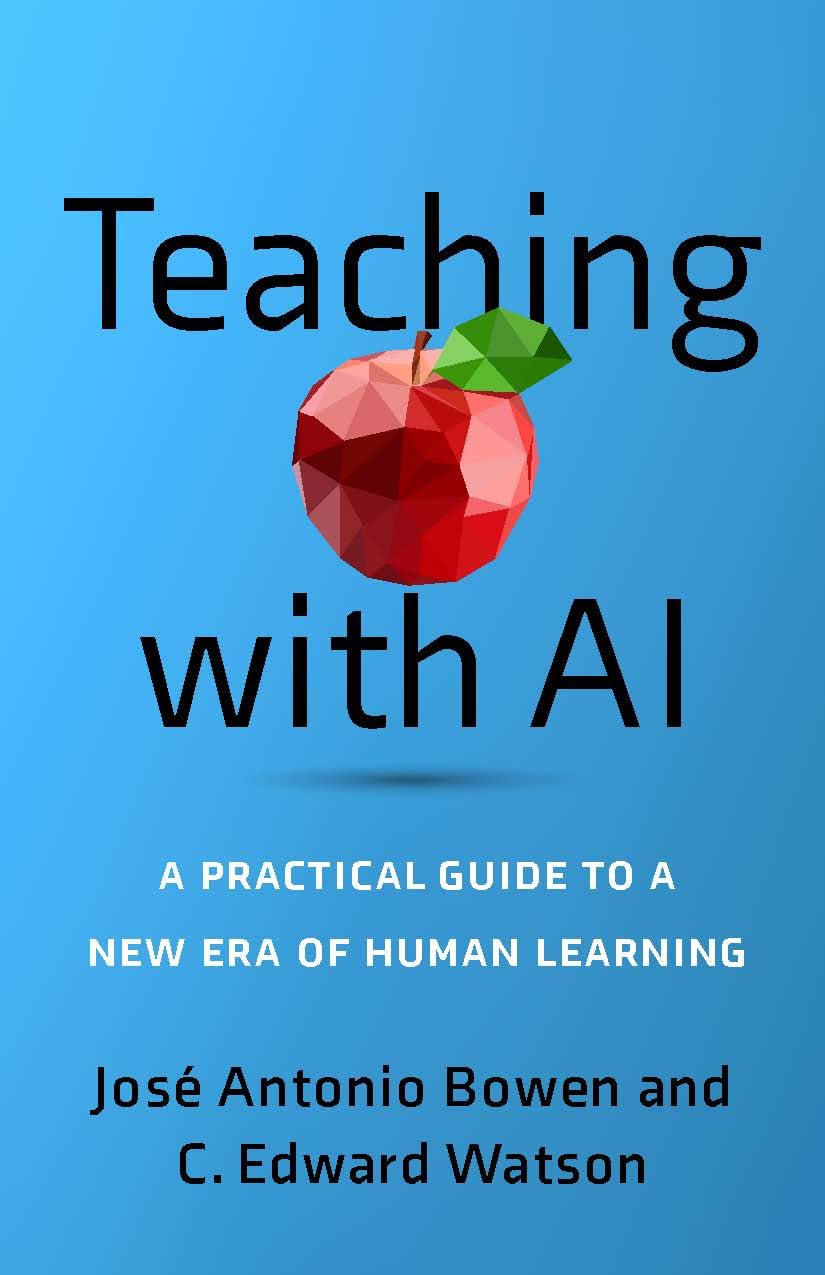
Teaching with AI explores the transformative role of artificial intelligence in education, focusing on how AI can assist faculty, inform policies, and redefine grading and quality standards. The eLDIG team is exploring AI’s potential role in providing feedback and designing assignments and assessments that emphasize human effort.

Want to read along? The Penn State library provides digital access to audio and ebook versions.

Bowen, J.A., & Watson, C.E. (2024). Teaching with AI. Baltimore: Johns Hopkins University Press.

Ask eLDIG: Simple Student Polling Solution?

Q:

Will Central Scanning Services be available for Spring 2025?

A:

YES! While Penn State completes its review of alternative scanning solutions, legacy paper-based exam scanning services will remain in place throughout Spring 2025.

For more information:
https://www.schreyerinstitute.psu.edu/scanning
Have a question?
Email [email protected] and let us know!

We’re Here to Help!

We can help you with course design and redesign, educational technology tools such as Canvas, Zoom, and Kaltura, strategies for assessment and evaluation, instructional best practices, and the integration of Smeal College and University-wide resources.

Let’s start a conversation about how Smeal’s eLearning Design & Innovation Group can help you.

Contact Us<

Smeal Academy Newsletter: December 2024

Fall ’24 Semester “Wrap-Up”

As the Fall 2024 semester comes to an end, we wanted to focus on two key aspects of end-of-semester planning: transferring final grades to LionPATH and evaluating end-of-course student feedback to drive intentional, student-centered improvements for future semesters.

The eLDIG team would also like to wish you and yours a happy holiday season! Here’s looking to an even better 2025!

SEEQ’ing STUDENT FEEDBACK

SEEQ Feedback

The Student Educational Experience Questionnaire (SEEQ) is Penn State’s carefully designed feedback tool that moves beyond simple instructor ratings. Developed by the University Faculty Senate, the SEEQ focuses on students’ learning experiences by gathering targeted feedback on course elements like assignments, materials, instruction, and learning environment.

Where is SEEQ feedback posted?

Fall 2024 SEEQ surveys were open from 11/18 to 12/8. Prior to grade submission, only response rates will be visible to instructors. After final grades are posted to LionPATH, instructors will receive an email with a link to their complete SEEQ feedback. Mid-semester (MSEEQ) feedback is viewable now on the SEEQ Report website.

How can SEEQ feedback lead to course improvements?

  • Reflect Critically and Objectively: Distinguish between subjective personal comments and constructive suggestions about course design, materials, and instructional methods.
  • Develop Actionable Improvements: Create strategies for course improvements to address recurring student suggestions.
  • Communicate Changes to Students: Build trust and encourage future students’ constructive feedback by communicating how you use it to inform course changes.
  • Seek Additional Perspectives: Consult with colleagues and the eLDIG team to validate and refine improvement strategies.

When we view student insights as a collaborative tool for improvement, we widen the possibility of designing learning experiences that feel more engaging and meaningful. This approach can continually evolve teaching into a conversation that keeps everyone—students and professors alike—more interested, connected, and excited about learning.

Have more questions?

Check out the SEEQ FAQs here.

UPCOMING SMEAL ACADEMY SESSIONS

Jan
23

Smeal Academy GenAI Series – GenAI Teaching and Learning Use Cases

January 23, 2025 from 11:00 AM – 12:00 PM

Join the eLDIG team and Smeal faculty and staff to explore ways that Generative AI is being used in our college classrooms!

Join us via Zoom.

ASK eLDIG: How do I transfer my grades from Canvas to LionPATH?

Follow These Steps for End-of-Semester Grading Success!

Transferring grades from Canvas to LionPATH saves time, reduces the risk of input error, and ensures that the final grades students see in Canvas match those in LionPATH.

The process outlined below is designed to:

  • Create LionPATH-ready final grades in Canvas,
  • Import final grades into the LionPATH Grade Roster, and
  • Submit final grades to the the Office of the University Registrar for eventual posting as “official” course grades.

Steps to Follow in Canvas:

  1. Step 1: Enable a PSU-compatible Grading Scheme so Canvas grades sent to LionPATH comply with PSU grading policy.
  2. Step 2: Enter zeros for unsubmitted Canvas assignments so Canvas and LionPATH record scores of “0” for all unsubmitted student work.
  3. Step 3: Post grades for hidden assignments so all assignments are scored in both Canvas and LionPATH.
  4. Step 4: Export the Canvas gradebook to be sure the the “Current Grade” (visible to students in Canvas) and “Final Grade” (visible to students in LionPATH) columns match.

Steps to Follow in LionPATH:

  1. Step 1: Locate your course in the Faculty Home Base and click its Grade Roster icon.
  2. Step 2: Select “Canvas Final Grades” to import grades from Canvas.
  3. Step 3: Review student grades for accuracy. The Grade Roster will only display the first 20 students, so to view your entire class select “View All.”
  4. Step 4: Change the Approval Status field to “Approved” and click “Save” to submit final grades to the University Registrar.

NOTE: The University Registrar runs an automated process (usually at the top of every hour) to collect grades with an “Approved” status and mark them as official course grades.

Have more questions?

Check out these resources:

We’re Here to Help!

We can help you with course design and redesign, educational technology tools such as Canvas, Zoom, and Kaltura, strategies for assessment and evaluation, instructional best practices, and the integration of Smeal College and University-wide resources.

Let’s start a conversation about how Smeal’s eLearning Design & Innovation Group can help you.

Contact Us

Smeal Academy Newsletter: November 2024

Passing the Gratitude

“The more you practice the art of thankfulness,

the more you have to be thankful for.”

– Norman Vincent Peale


Of all the things you may pass during your Thanksgiving Day celebration this year, our wish is that gratitude would be the one shared and enjoyed the most. As we prepare for Fall 2024’s finale it’s a good time to pause and reflect on the things we have been the most thankful for this semester.

In the spirit of “passing the gratitude” we here at eLDIG are thankful for the opportunity to be a part of such an amazing community in support of its mission to provide excellence in education. We’re thankful for our team members who are passionate about teaching and learning, and for the many opportunities we have to exercise our individual and collective growth mindset muscles!

Podcast Spotlight

Thankful for Our Students

This month’s Smeal Academy podcast highlights one of the best reasons to be thankful for working at Smeal – our students! In part two of our student engagement podcast, students discuss the role of technology in the classroom, including AI, and how it affects learning.
Podcasts are released frequently, and housed on our eLDIG website, or follow the Smeal Academy Podcast on your preferred podcatcher!
Listen Here

Upcoming Smeal Academy Sessions

Thankful for Our Community

We are grateful for the enthusiastic participation of the Smeal community in this semester’s Smeal Academy sessions. Participants this fall have explored and discussed everything from classroom engagement to the ethical implications of AI. We are grateful for your many contributions this semester, and look forward to renewed exploration in the New Year!

JAN
23

Smeal Academy GenAI Series – GenAI Teaching and Learning Use Cases

January 23, 2025 from 11:00 AM – 12:00 PM

Join the eLDIG team and Smeal faculty and staff to explore ways that Generative AI is being used In our college classrooms!
Join us via Zoom.


Previous Smeal Academy session recordings can be viewed on the eLDIG website.

Tips for Teaching & Learning With Technology

Thankful for Innovation

Several of the tools we rely on for teaching and learning with technology are going through major changes as Artificial Intelligence (AI) becomes more prominent in higher education. One such innovation is highlighted below:

New AI Functionality in Zoom

Recent updates to Zoom include new AI-driven functionality designed to make meetings more efficient. These features are off by default and must be enabled by the meeting Host (either prior to or during the meeting):

  • Smart Recording allows you to organize your recorded meetings into sections and identifies editable key takeaways and meeting action items.
  • Meeting Summary generates an emailed summary of the meeting with the option for the host to share the summary with participants. Note that if a host enables this feature in a meeting participants may automatically receive summaries after the meeting ends.
  • Thread Summary summarizes discussions in the Zoom Team chat threads.

(Note: Meeting audio, video, chat, screen sharing, attachments, or other communications are not used to train Zoom’s AI models.)

For more information on these tools please reference the Getting Started with Zoom AI knowledgebase article.

We’re Here to Help!

We can help you with course design and redesign, educational technology tools such as Canvas, Zoom, and Kaltura, strategies for assessment and evaluation, instructional best practices, and the integration of Smeal College and University-wide resources.

Let’s start a conversation about how Smeal’s eLearning Design & Innovation Group can help you.

Contact Us

Smeal Academy Newsletter: October 2024

Engagement is like a box of chocolates…

Halloween candy and quality classroom engagement share a lot in common!

Variety Appeals to Different Tastes 

  • Halloween Candy: A good candy mix ensures that there’s something for everyone to enjoy.
  • Classroom Engagement: Just like candy, a mix of activities like group discussions, hands-on projects, visual aids, and tech-based learning helps engage all students, not just a select few.

A Little Goes a Long Way

  • Halloween Candy: Even a small handful of candy is enough! You don’t need to overindulge to feel satisfied.
  • Classroom Engagement: You don’t always need an elaborate plan to engage students. Small, well-designed learning moments can go a long way in keeping students engaged and satisfied.

Immediate Gratification and Long-Term Impact

  • Halloween Candy: Candy is a quick, enjoyable reward. But there’s also the lasting memory of the joy of sharing candy with friends.
  • Course Content: Students experience immediate engagement when they can see its value in their lives, and that impact lasts as they apply what they’ve learned in meaningful ways.

Podcast Spotlight

Smeal Students Share What Creates Classroom Connection

This month’s podcast features students from Smeal’s brand-new BA 397 Business Communication Course, discussing their favorite classroom engagement strategies. They discuss everything from TopHat to AI to cold-calling in the classroom!

Podcasts are released frequently, and housed on our eLDIG website, or follow the Smeal Academy Podcast on your preferred podcatcher!


Listen Here

Engage With Smeal Academy

OCT
18

Smeal Academy GenAI Series – How AI is Reshaping the Landscape of Higher Education

October 18, 2024 from 11:00 AM – 12:00 PM

Join Raymond Kusch, Founder and CEO of American Inference, and a Smeal Executive DBA student for this engaging session. Raymond will cover:

  • a high-level overview of what faculty should know about AI
  • the nature and capabilities of Generative AI
  • top AI trends and their implications for education
  • foundational knowledge and ethical considerations from an industry perspective
  • critical concerns in higher education, including academic integrity and data privacy

As a special feature, Raymond will demonstrate Engaged Scholar, an innovative SaaS solution streamlining academic research.

Join us via Zoom.

OCT
23

Smeal Academy Session – Communication Skills for Teaching and Presenting with Andy Gustafson

October 23, 2024 from 11:30 AM – 12:30 PM

Skilled staff and professors must possess technical AND communication skills that generate interest in their areas of expertise. This could mean the difference between success (or failure) in the classroom, earning a grant, or garnering support from the community regarding why your work matters. This session will introduce strategies required to garner audience interest and support.

Join us via Zoom.

NOV
4

Smeal Academy Roundtable Discussion: Why Aren’t They Paying Attention? Practical Approaches for Reaching Gen Z Students

November 4, 2024 from 2:00 – 3:00 PM

Who among us has not had moments of frustration staring out at a sea of young faces beaming looks of boredom or, worse, staring glassy eyed into their phones? Join other Smeal instructors and instructional designers to share experiences and discuss creative connection strategies for today’s higher ed. classroom.

Join us via Zoom.


Previous Smeal Academy session recordings can be viewed on the eLDIG website. You may want to watch our Smeal Academy session on suggestions for how to plan for asynchronous instruction on Election Day, November 5th.

Ask eLDIG: Simple Student Polling Solution?

Q:

I want to better engage students in my classroom. Is there a polling tool that is free, easy to set up and use, and can scale for any size class?

A:

Yes! The Microsoft Forms “Quiz” feature can be used to quickly:

  • identify gaps in student knowledge,
  • guide classroom discussion, and
  • engage students in learning content.

Polls can be set up with just a couple of clicks and students can access them easily via QR code or URL. Best of all, it’s built right into Penn State’s Office 365 suite, so creating engaging polls has never been easier!

Check out our latest Video Tech Tip to get started!

Have a question?
Email [email protected] and let us know!

We’re Here to Help!

We can help you with course design and redesign, educational technology tools such as Canvas, Zoom, and Kaltura, strategies for assessment and evaluation, instructional best practices, and the integration of Smeal College and University-wide resources.

Let’s start a conversation about how Smeal’s eLearning Design & Innovation Group can help you.

Contact Us

Smeal Academy Newsletter: Strategies & Resources to Promote Integrity in the Classroom 

THIS IS WHO WE ARE:

Strategies & Resources to Promote Integrity in the Classroom

Each September the Smeal Community celebrates its commitment to promoting a culture of academic integrity and invites each member to sign the Smeal Honor Code.

As we reflect on what the Honor Code means to our community, we want to also draw attention to strategies and resources you can use to support this commitment in your classroom. These best practices include:

Setting Expectations:

  • Communication is key. Outline specific expectations for appropriate behavior in your course, including your policy on the use of GenAI.
  • Make it relatable! Consider telling a story that makes the importance of academic integrity resonate with your students.

Influencing Behaviors:

  • Require students to complete the following pledge as part of every assessment: “I affirm that I will not give or receive any unauthorized help on this assignment/exam, and that all work will be my own.”
  • Make clear distinctions between the appropriate role of collaboration and use of tools such as artificial intelligence in every assessment.

Reinforcing Accountability:

Be sure to listen to the latest Smeal Academy podcast (highlighted below) in which Michelle Darnell, Smeal’s Honor & Integrity Director, elaborates on these and other key topics. And read more about it in your copy of the Blue Folder. Reach out to the Tarriff Center for Business Ethics and Social Responsibility if you did not receive a folder through your department.

Podcast Spotlight

Michelle Darnell on the Transformational Power of Honor and Integrity

Join Michelle Darnell, Smeal’s Director of Honor and Integrity as she shares strategies for transforming students’ attitudes, nudging their behaviors, and helping them think more critically about their academic integrity choices. 

Podcasts are released frequently, and housed on our eLDIG website, or follow the Smeal Academy Podcast on your preferred podcatcher!

Upcoming Smeal Academy Sessions

SEP
24

Smeal Academy GenAI Series – Beginning of Semester Update and Resources

September 24, 2024 from 12:00 – 1:00 PM

In this session, we will:

  • Share the latest updates on Penn State guidance regarding the use of Generative AI (GenAI) in courses.
  • Discuss strategies for integrating GenAI policies into course assignments and syllabi.
  • Share information about and discuss the Provost’s AI-Enhanced Pedagogy Endorsement.

Join us via  Zoom.

OCT
3

The Blue Folder: Breaking Down Smeal’s Academic Integrity Violation Process with Michelle Darnell and Lisa Posey

October 3, 2024 from 1:00 – 2:00 PM

In this session, we will:

  • Dscuss the process for instructors who suspect an academic integrity violation in their course.
  • Clarify requirements for documentation submitted to the online Academic Integrity system.
  • Review the guidance for GenAI plagiarism detection tools from Faculty Senate and the Joint Standing Committee on the Effective and Responsible Use of AI in Higher Education Instruction.

We’re Here to Help!

We can help you with course design and redesign, educational technology tools such as Canvas, Zoom, and Kaltura, strategies for assessment and evaluation, instructional best practices, and the integration of Smeal College and University-wide resources.

Let’s start a conversation about how Smeal’s eLearning Design & Innovation Group can help you.

Smeal Academy Newsletter: Set the Stage on the First Day

Set the Stage on the First Day

Welcome back to a brand-new academic year! As you prepare to navigate the first week of classes, take a moment to embrace the opportunities for learning – for you and your students – that come with it.

As you plan your first day of class, consider these ideas for sparking student curiosity and excitement:

  • Consider the Climate: Research shows that the instructor’s emotions have an impact on instructional behavior and learning. Start the semester by infusing your classroom with confidence, enthusiasm, and optimism. Make space for communicating your passion for your topic. It’s contagious!
  • Make Connections: Learning is social! Students are often more willing to participate when they feel connected to others in the classroom. Make time for you and your students to introduce yourselves to each other. As the semester progresses, you can build on this by having students work in pairs or small groups.
  • Motivate Students: “I Care. I Can. I Matter.” In a recent LinkedIn post, Jose Antonio Bowen shared that students are motivated when they feel all three of these things. How can you reinforce these beliefs in your students this semester?

For more great suggestions, listen to the latest Smeal Academy Podcast, highlighted below!

Podcast Spotlight

Faculty Focus: Strategies for Engaging Students from the Start

Join Jennifer Eury, Ron Johnson, and Schalyn Sohn as they share their best advice for starting the semester off strong! They discuss everything from engaging activities for the first day of class to cultivating connection in the classroom!

Podcasts are released frequently, and housed on our eLDIG website, or follow the Smeal Academy Podcast on your preferred podcatcher!

Listen Here

GenAI and Syllabus Recommendations

Add a Policy About Artificial Intelligence Tools Like ChatGPT or Claude

eLDIG has prepared sample syllabus statements you can adapt based on your course objectives. Once you determine the GenAI policy for your course, we suggest adding a statement in each Canvas assignment reminding students of the GenAI policy. Our GenAI Canvas Assignment icons can be incorporated into your course to communicate your expectations.

Include a Link to Syllabus Policy Language Maintained by eLDIG

Do you struggle to keep up with syllabus policies? eLDIG maintains a current Smeal Undergraduate Residential Syllabus, Part 2 based on the semester instructions from Undergraduate Programs. You are welcome to link to this from your syllabus now or in the future.

Tips for Teaching with Technology

1

Ensure Your Canvas Course is Ready with eLDIG’s Beginning of Semester Checklist for Instructors

There is a lot to think about when preparing to teach and set up your Canvas space. Use this helpful checklist to ensure that you have covered your Canvas bases and are ready for Day 1!

2

Set Up Your Gradebook

If you will be using the Canvas Grades feature to calculate and communicate grades to students (recommended), you will need to configure the gradebook settings. For detailed instructions, refer to the How Do I Use the Gradebook? page.

We’re Here to Help!

We can help you with course design and redesign, educational technology tools such as Canvas, Zoom, and Kaltura, strategies for assessment and evaluation, instructional best practices, and the integration of Smeal College and University-wide resources.

Let’s start a conversation about how Smeal’s eLearning Design & Innovation Group can help you.

Contact Us

Smeal Academy Newsletter Special Edition: Chuck Farewell and Podcast

Smeal Academy Newsletter Special Edition: Chuck Farewell and Podcast

Photo from BA 545 Lightboard Video “Basic Model: What If Capital Stock”

Best Wishes, Chuck!

Dear Chuck,
As your retirement draws near, the eLDIG team wants to express our appreciation for the wisdom, leadership, and dedication you have shared with us and the college. The eLDIG team wouldn’t exist without your vision and commitment to excellence in business education. Thank you for your twelve years of service at Smeal and the positive impact you’ve made. We wish you all the best as you begin this new chapter. You will be missed!

With warmest regards and deep gratitude,
The eLDIG team (Kitt, Mark, Emily, Donna, Brett, Michael, Chris, Renee, Eileen, Apryl, Francesca, Jill, and Heidi)

Two-Part Smeal Academy Podcast Interview of Chuck Whiteman (aka: The Chuck-Casts)

Check out this week’s new Smeal Academy podcast, a two-part Interview of Chuck Whiteman, by clicking below! Smeal Academy Podcasts are released frequently, and housed on our eLDIG website, or follow the Smeal Academy Podcast on your preferred podcatcher!

Photo from BA 545 Lightboard Video “Basic Model: What If Capital Stock”

Contact Us

Email us at [email protected] or fill out the eLDIG Contact form and we will be in touch.

Smeal Academy Newsletter: Keep Learning Edition

Smeal Academy Newsletter: Keep Learning Edition

The Smeal Academy is brought to you by the eLearning Design and Innovation Group at the Smeal College of Business at The Pennsylvania State University. The goal of the Smeal Academy is to equip the Smeal community with best practices and strategies for teaching and learning with technology to support Smeal’s business education and research needs.

John Dziak, CCO, via Wikimedia Commons

The Power of Professional Development

This week we are focusing on the opportunities for professional development around teaching and learning and educational resources. This week’s Smeal Academy podcast features Kitt Camplese, Director of Learning Design for the eLDIG team. Kitt talks about the importance of continual learning and a willingness to adapt.

This summer, professional development opportunities abound! Consider these approaches when planning your summer learning:

  • Smeal Academy: This option is, of course, our top recommendation! Check out the eLDIG website for dozens of Smeal Academy recorded sessions on everything from recent Canvas updates to strategies for approaching AI in teaching. And keep reading to see the upcoming Smeal Academy sessions you can attend this month!
  • Library Workshops: Lauren Reiter, Interim Head of the Schreyer Business Library at Penn State, recently shared some upcoming sessions that might be of interest. See below for dates, times, and links to register:

Want to learn more about Kitt and the eLDIG team? Check out this week’s new podcast, Meet the eLDIG Team: Kitt Camplese, Director of Learning Design, by clicking below! Smeal Academy Podcasts are released frequently, and housed on our eLDIG website, or follow the Smeal Academy Podcast on your preferred podcatcher!

Upcoming Smeal Academy Sessions

  • Smeal Academy Summer Book Club
    This summer, we will read The Spark of Learning by Sarah Rose Cavanagh. We will meet three times over the summer to discuss the book. Join us for our first discussion on Tuesday, June 11, 2024, from 1:00 to 2:00 p.m. EST via Zoom. Join from PC, Mac, Linux, iOS or Android: https://psu.zoom.us/j/710269538?pwd=VmNhWEl5R241YlloWHF5WTFpODVKZz09. Password: Smeal.
  • Smeal Academy: Exploring the Affordances of AI for Assignments
    In this session, we will explore assignments that actively involve student use of Artificial Intelligence (AI) tools. We will discuss the potential affordances of AI and uncover practical strategies for integrating these AI capabilities into various types of assignments. Additionally, we will address the ethical considerations of using AI in education. Join us on Friday, June 21, 2024, from 11:00 a.m. to 12:00 p.m. EST via Zoom: https://psu.zoom.us/j/710269538?pwd=VmNhWEl5R241YlloWHF5WTFpODVKZz09

NOTE: Recordings and resources from previous Smeal Academy sessions can be found on our eLDIG Website.

eLDIG ID Tips

  • Tip #1: Practice Canvas Hygiene. At a recent Smeal Academy session, the eLDIG team advised attendees to remove old files from Canvas to help improve their course’s Ally accessibility score. Want to know more? Check out the recording to learn more.
  • Tip #2: Use AI to Jumpstart Idea Generation. Generative AI is great at brainstorming ideas. Feeling stuck? Give AI a try to get the juices flowing for creative tasks.

Contact Us

Email us at [email protected] or fill out the eLDIG Contact form and we will be in touch.

Anthology Ally: What’s Your Score?


The University has enabled a Canvas feature called Ally which helps support our goals of equity and inclusion, improving course accessibility and usability. This session discusses the accessibility of the resources in your Canvas spaces, and how you can improve your Ally “score.”

PowerPoint Slides for this Session can be downloaded here.